Run the panel like a professional reseller operation.
This guide covers the reseller panel and the white-label enduser control panel. It intentionally excludes Admin panel workflows. Use it to onboard staff, train resellers, understand wallet and renewal rules, manage endusers, order services, and explain the client portal.
Quick Start: From Waitlist to First Sale
Use this sequence when a new reseller joins, gets approved, customises the panel, funds the wallet, and places the first client order.
Waitlist registration and approval journey
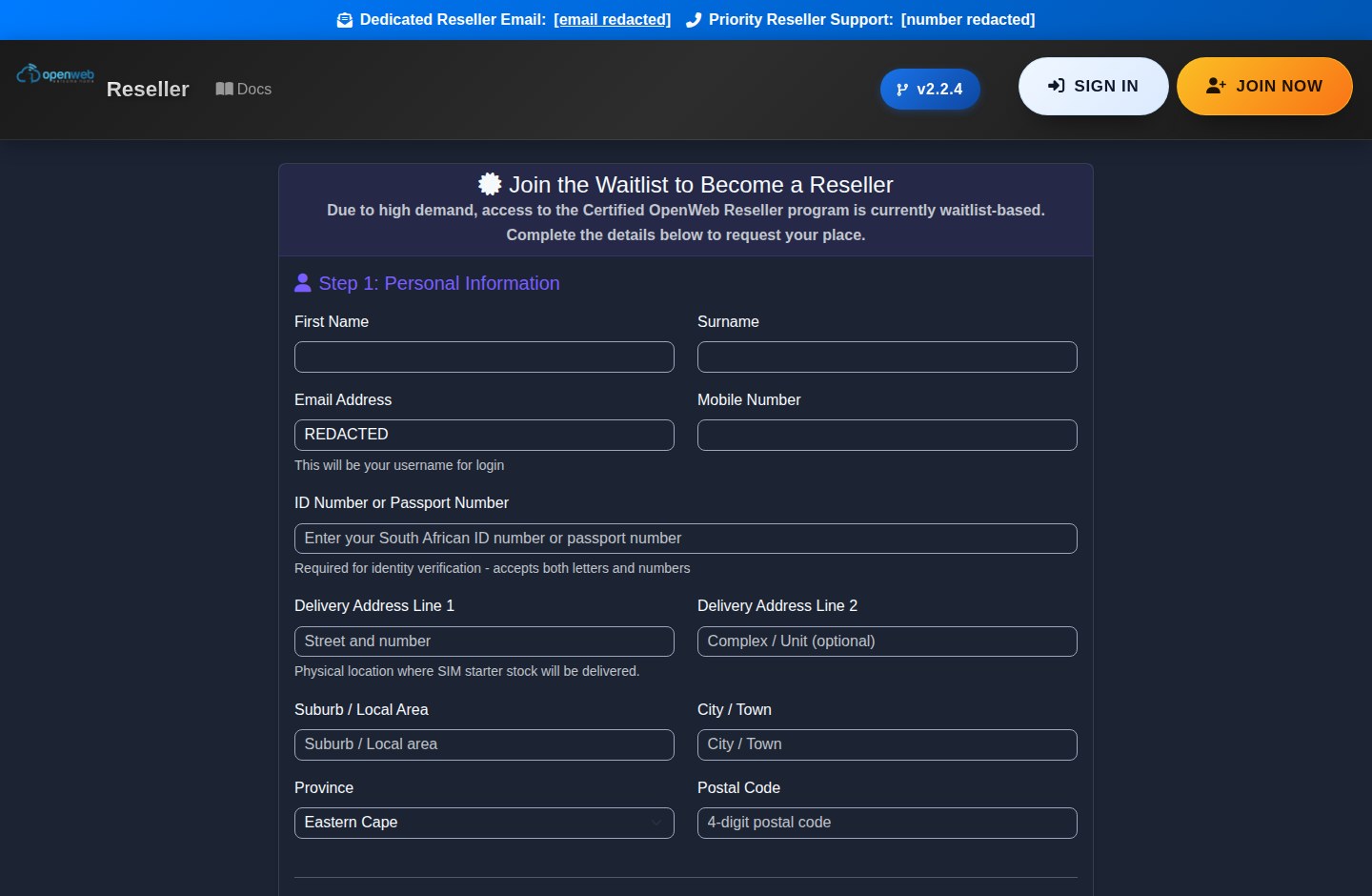
1. Join the reseller waitlist
New applicants use the reseller registration page. The current wording positions the program as a certified reseller waitlist. After submitting, they land on the welcome page so advertising conversion tracking can record the signup event.
- Use a real email and mobile number because approval messages are sent there.
- Device and IP checks help prevent duplicate applications.
- Rejected applicants are not invited to try again with a different email.
2. Login after approval
Approved resellers receive their login information and can access the reseller dashboard. On first login they are guided into the white-label setup flow.
- Accept the Refund Policy before using the panel.
- Complete the whitelabel wizard.
- Fund the wallet before ordering services.
3. Make the opening deposit
The whitelabel wizard encourages an opening deposit of R500. Wallet credit is used to pay for orders, SIM swaps, SIM purchases, and monthly renewal billing.
- PayFast is the primary card gateway.
- Saved card options support future automated topups.
- Keep enough wallet credit before the monthly billing deadline.
4. Create a customer and order
Create an enduser, set retail pricing where needed, choose a product, confirm pro-rata charges, and submit the order. Once provisioned, the service appears under Active Services.
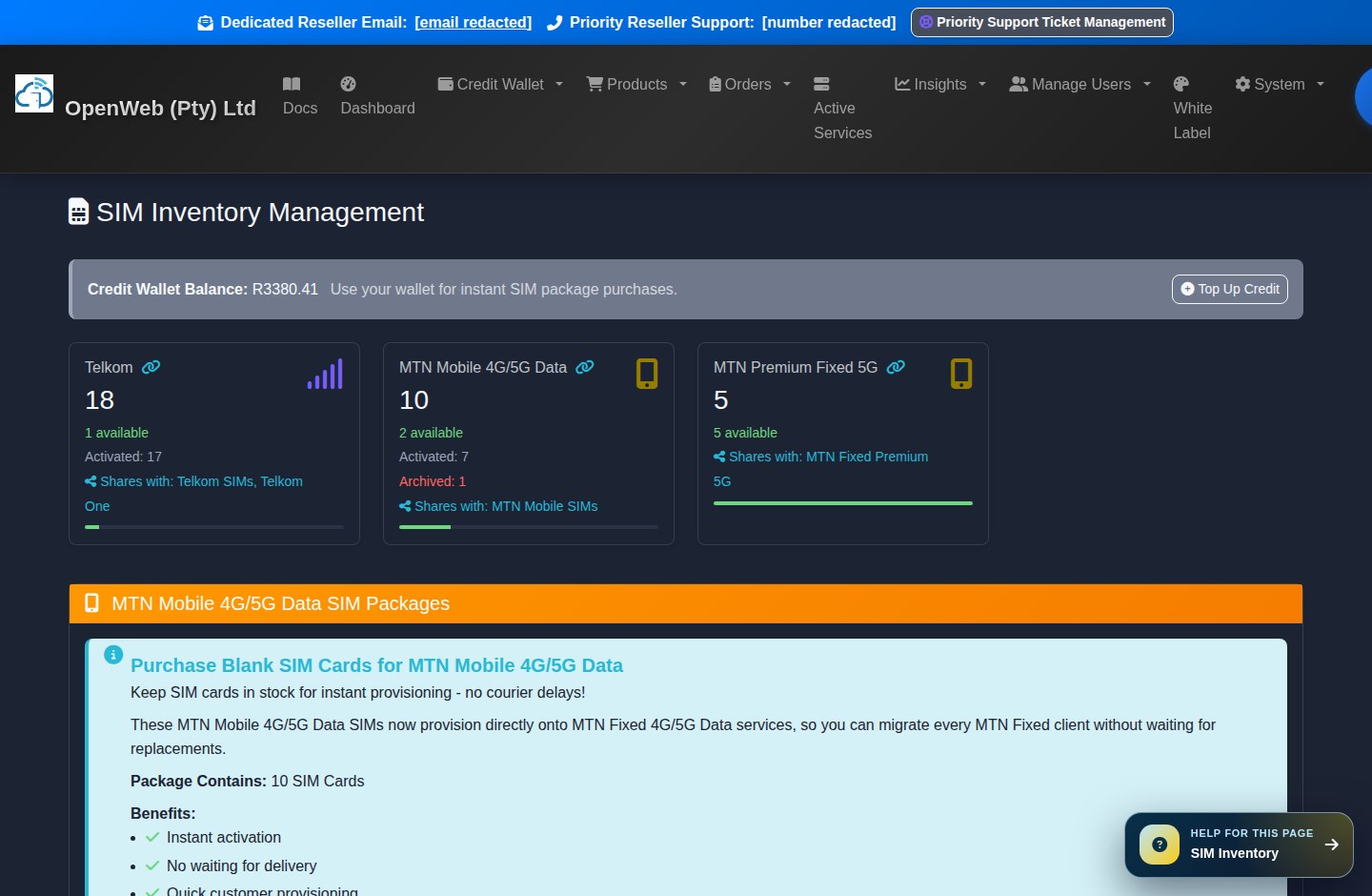
- Some products need a blank SIM from inventory.
- Hosting provisions directly.
- Microsoft 365 and network services go to pending orders for fulfilment.
Dashboard
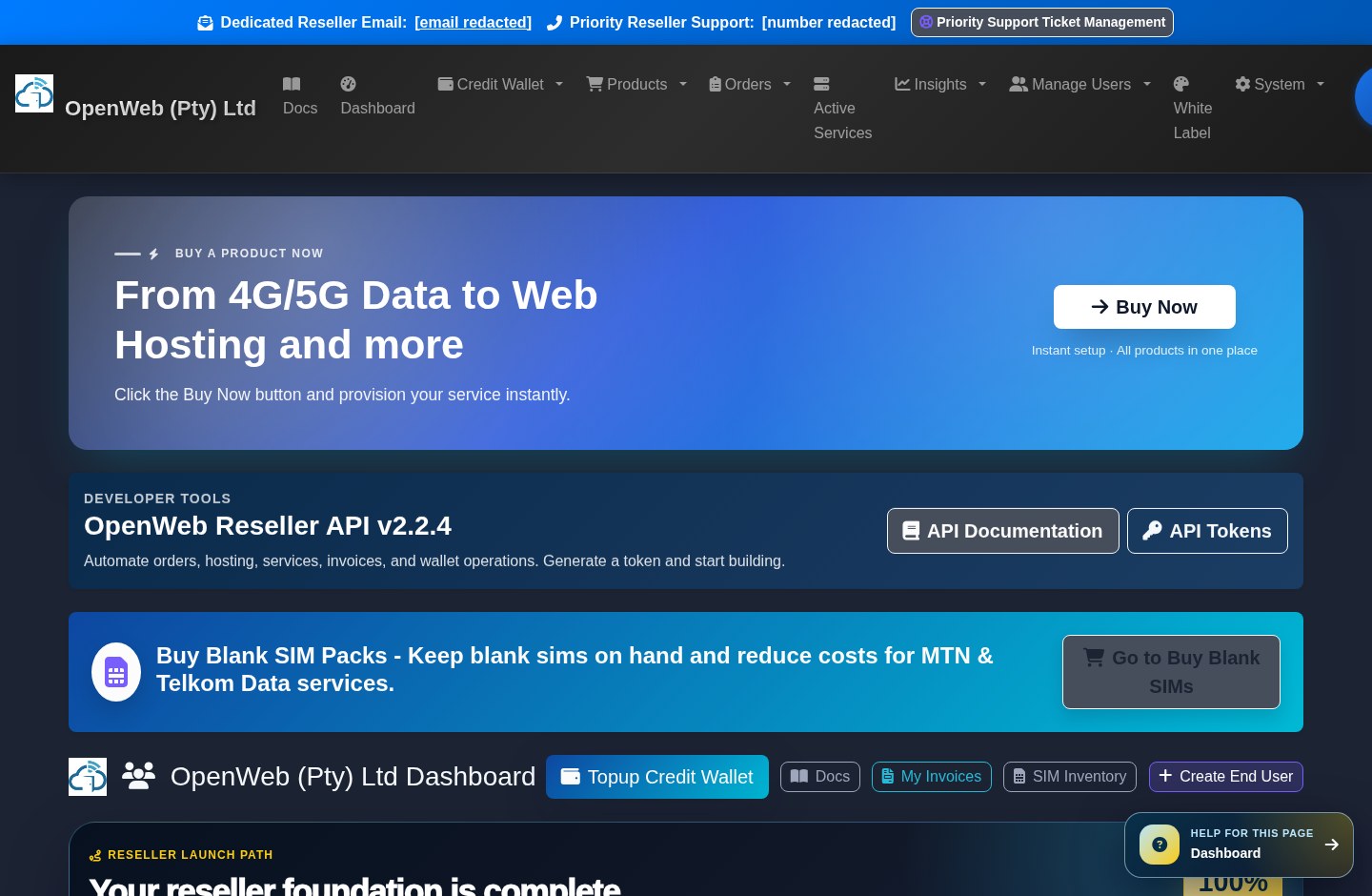
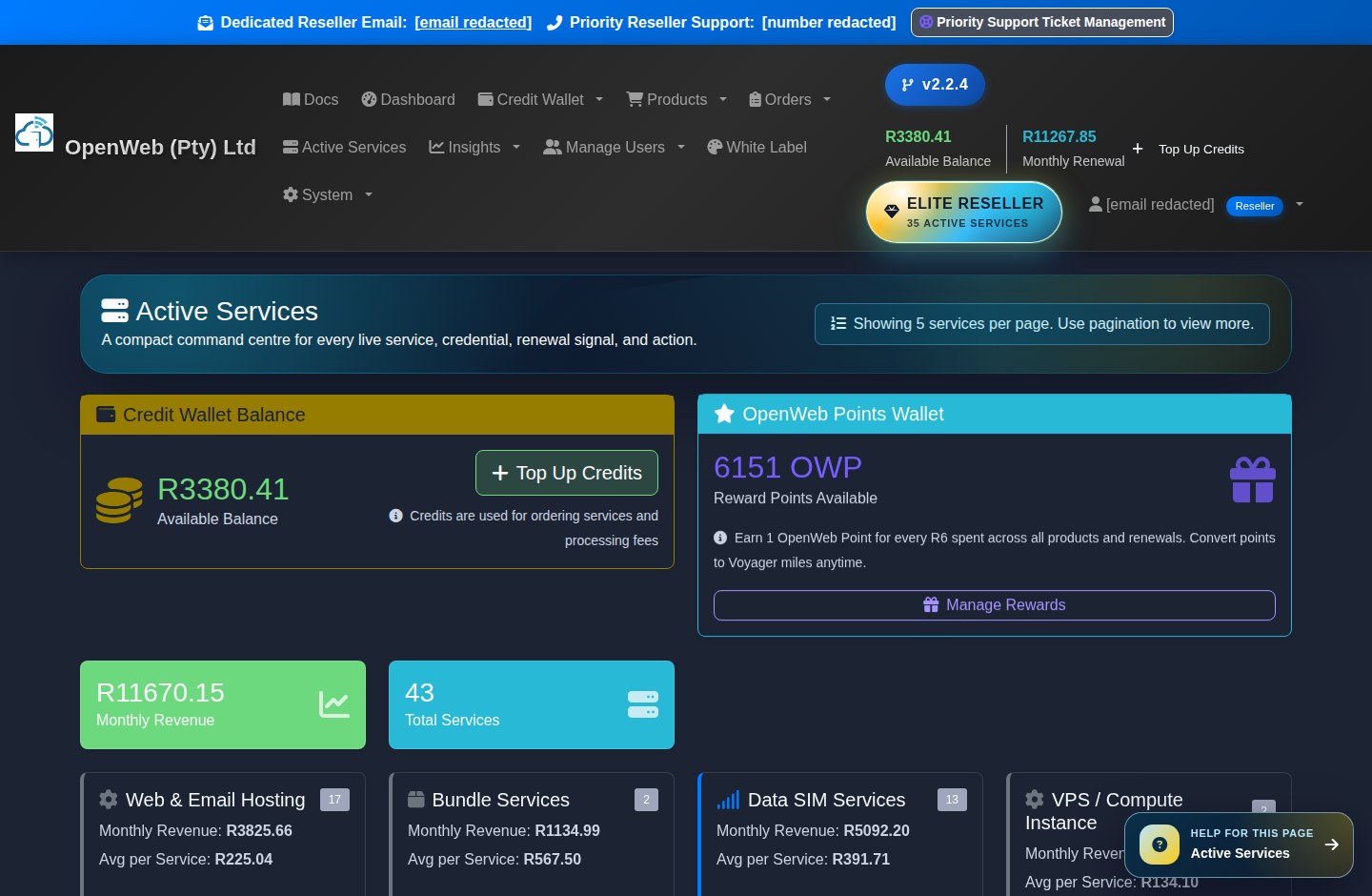
The dashboard is the reseller control room. It shows wallet health, renewal exposure, OpenWeb Points, active prompts, and the fastest routes to common actions.
Reseller dashboard
Use the dashboard at the start of every day. Confirm that the wallet is funded, check renewal risk, review active campaigns, and jump directly into orders, invoices, SIM inventory, or customer creation.
Wallet summary
Shows available reseller credit. Wallet funds are used before card fallback on supported flows. A negative wallet means services may need reactivation after topup.
Renewal forecast
Shows the upcoming monthly billing position, including whether the billing cycle is paid or unpaid and how much credit is likely needed.
OpenWeb Points
Shows points earned from qualifying activity. Points can be used for supported rewards and, where eligible, pro-rata waivers.
Compliance and setup prompts
Prompts appear when the reseller must accept a policy, complete the whitelabel wizard, fix saved-card settings, or handle important account setup tasks.
Wallet, Topups, Billing, Invoices, and Statements
OpenWeb uses a wallet-first model. Resellers top up the wallet, place orders from wallet credit, and monthly billing deducts renewal charges from the wallet.
Credit wallet and Smart Wallet
Credit Wallet
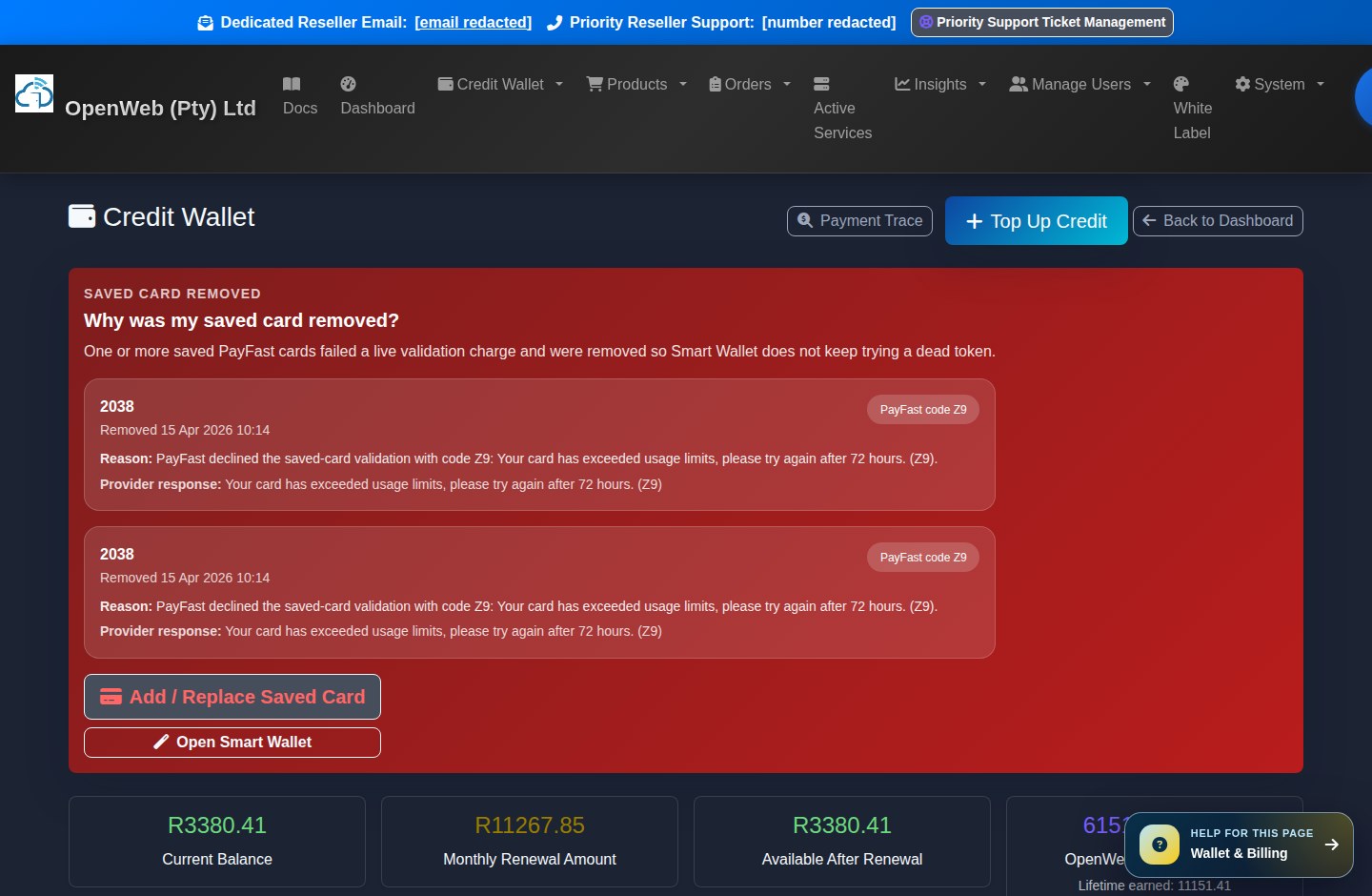
The wallet is the reseller account balance. It pays for new orders, SIM purchases, SIM swaps, renewals, and other reseller-side charges.
WalletTop Up Credits
Use PayFast to add credit. The wallet is credited with the topup amount after payment confirmation. Fee rules are displayed on the topup screen.
TopupSmart Wallet
Smart Wallet helps automate minimum-balance protection, saved-card fallback, and renewal shortfall handling. It is designed to prevent service interruptions.
Smart WalletPayment Trace
Payment Trace connects PayFast payments, wallet credits, fees, and spending after the topup. Use it when reconciling a payment or explaining what happened to funds.
Payment TraceMonthly billing rules resellers must understand
- Active recurring services make up the renewal amount. This includes mobile/fixed data, hosting, Microsoft 365, Voyager monthly allocations, VPS/compute, voice, and any other active recurring service.
- Blank SIM inventory does not carry a monthly cost while it is unused.
- Billing can take a wallet negative. Reactivation depends on the wallet returning to zero or positive balance.
- Invoices and statements are available from the reseller Orders menu. Use statements for monthly account history and invoices for order or billing documents.
Customer and Enduser Management
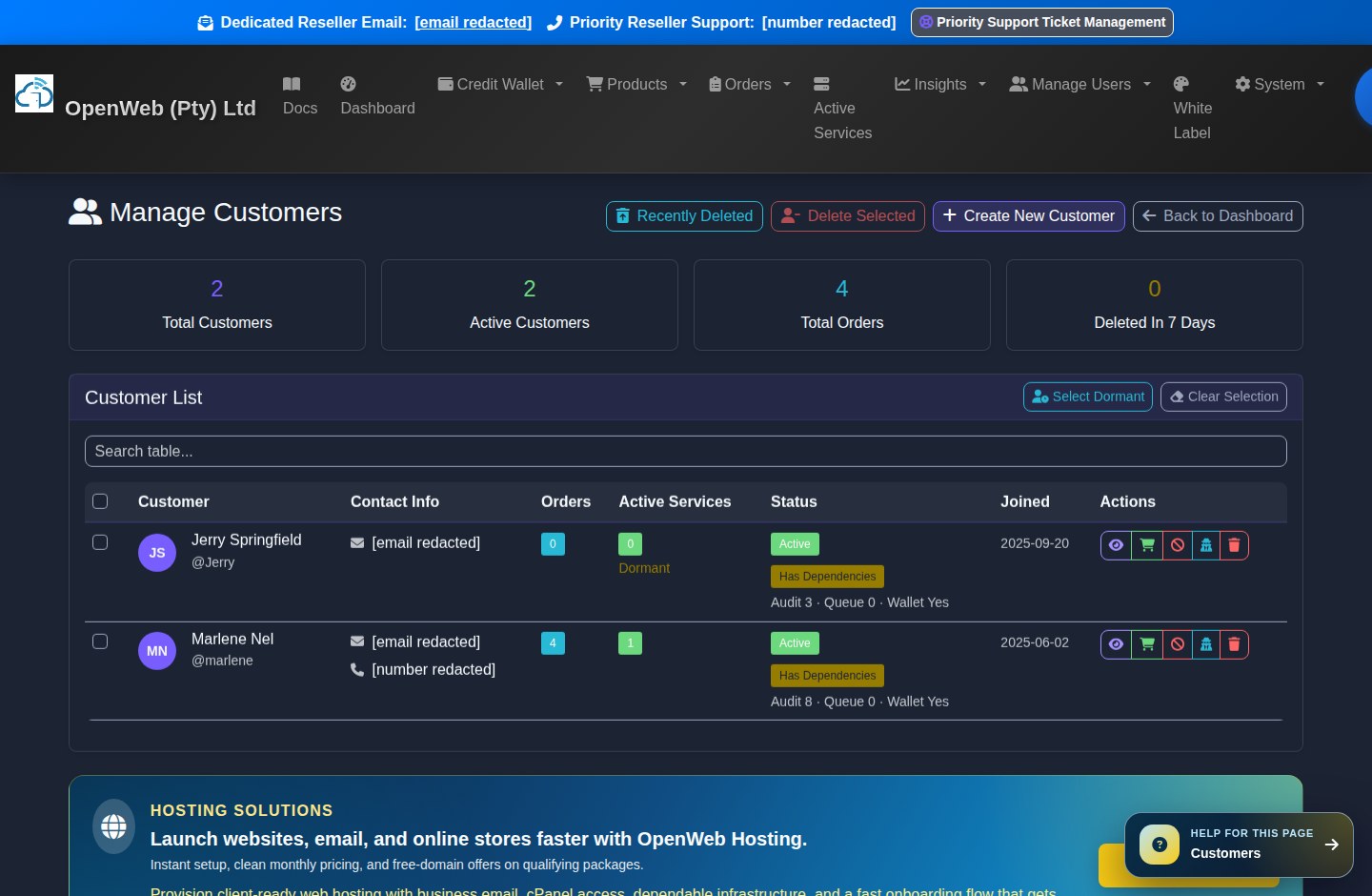
Customers are the reseller's endusers. The reseller can create customers, set retail prices, manage services, restore deleted customers, and invite panel admins.
Customer management
Create New Customer
Add the enduser profile before ordering. The platform queues welcome communication where applicable and links future services to the reseller.
Create CustomerManage Customers
View customer records, linked services, order history, contact information, and account activity.
Manage CustomersDeleted Customers
Deleting a customer reassigns services and orders back to the reseller. Recently deleted customers can be reviewed and restored from the audit area.
Deleted CustomersPanel Admins
Panel admins allow a reseller business to delegate operational work without sharing the main owner login.
Panel AdminsProducts, Pricing, SIM Inventory, and Service Ordering
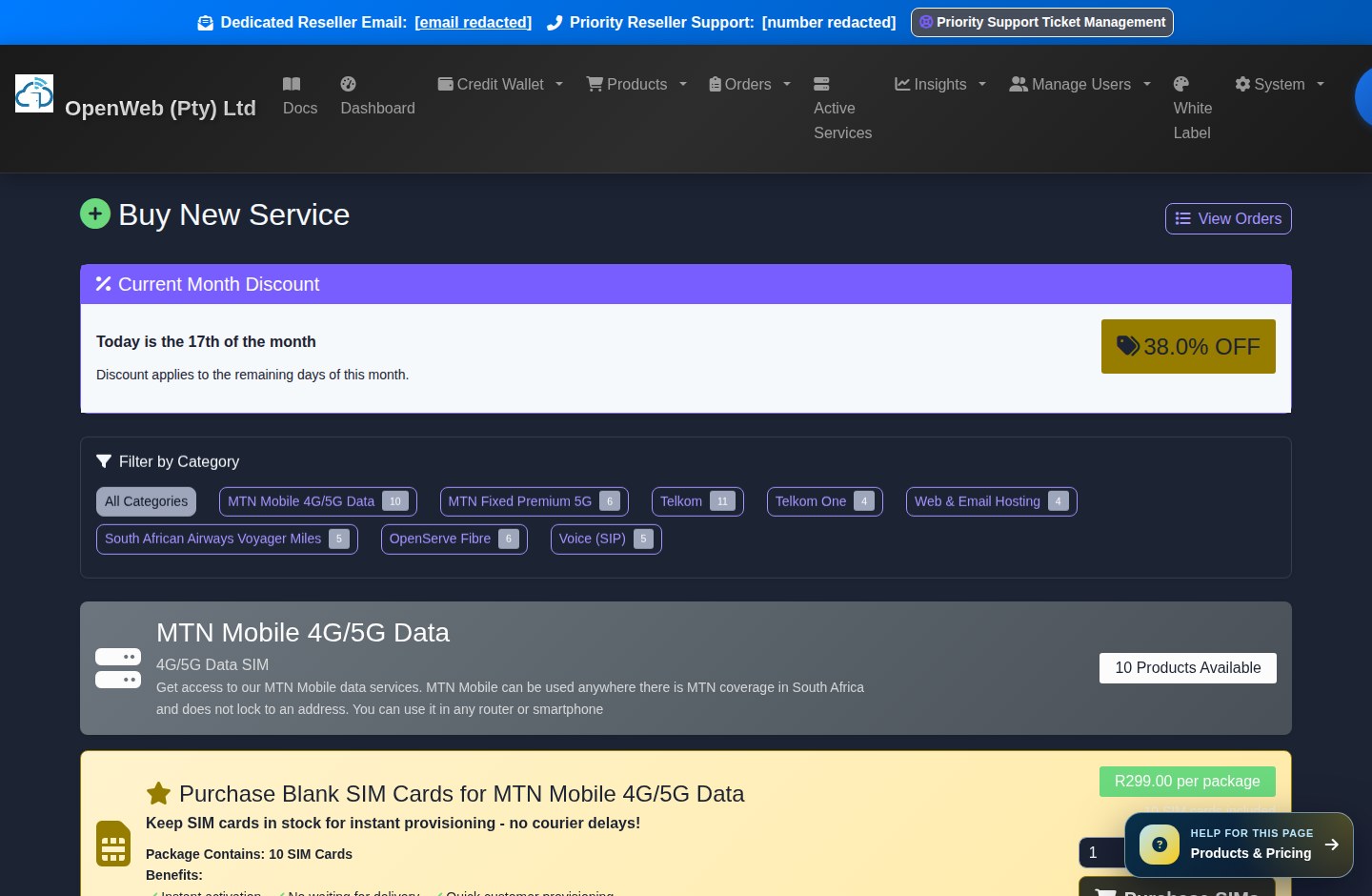
The product catalogue is where resellers choose what to sell. Pricing screens show retail price, reseller discount, standard pro-rata, delivery fees, static add-ons where available, and amount due today.
Product catalogue and create service
Product families currently documented for resellers
4G/5G mobile and fixed data
Network products can require a blank SIM from reseller inventory. MTN APN and usage details are handled by the platform after provisioning.
Telkom services
Telkom blank SIMs come from the Telkom inventory bucket. Resellers can buy blank SIMs before provisioning services.
OpenServe Fibre
OpenServe Fibre requires a full South African installation address and now follows standard pro-rata tiers. No SIM is required.
Microsoft 365
Microsoft 365 orders go to pending fulfilment. Login URL, username, and password are supplied after provisioning.
Hosting and domains
Hosting provisions directly through the hosting flow. Domain checkout shows free or paid domain logic before confirmation.
Voice, VPS/Compute, and Voyager
Voice products may include SIP details, compute instances can be hourly or monthly, and Voyager can be once-off or recurring monthly.
Ordering rules
- Use Buy New Service to choose a service.
- Use Price List to review reseller-facing product pricing.
- Use Set Enduser Price to configure what clients see or pay.
- Use Buy Blank SIMs when a product requires a SIM before ordering.
Orders and Active Services
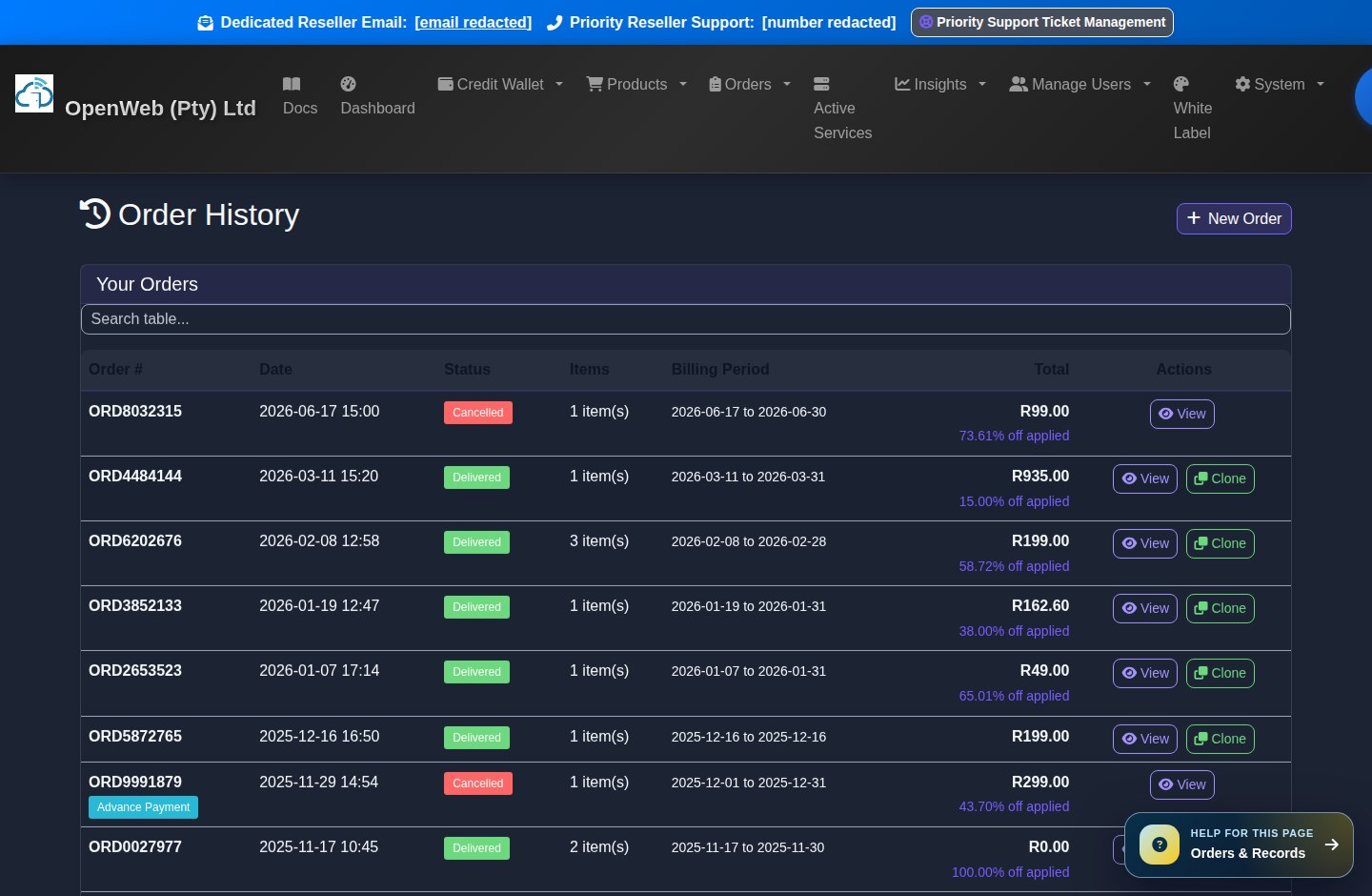
Orders record what was requested. Active Services record what is live and billable. Resellers should use both views together.
Active services management
| Tool | What it does | Reseller guidance |
|---|---|---|
| Order History | Shows submitted orders, order details, statuses, and order items. | Use this when a reseller asks what they bought or what is still pending. |
| Active Services | Shows live services linked to customers or the reseller. | Use this for usage checks, service management, SIM swaps, topups, and cancellation requests. |
| Upgrade/Downgrade | Allows eligible service package changes. | Review fees and billing effect before confirming. |
| Pending Cancellations | Tracks cancellation requests awaiting the effective cancellation date. | Use this to confirm what will stop and when. |
| SIM Swap | Replaces the SIM on eligible Telkom or MTN services using blank SIM inventory. | Current reseller fees: Telkom R129, MTN R299. |
White Label Branding and Reseller Accreditation
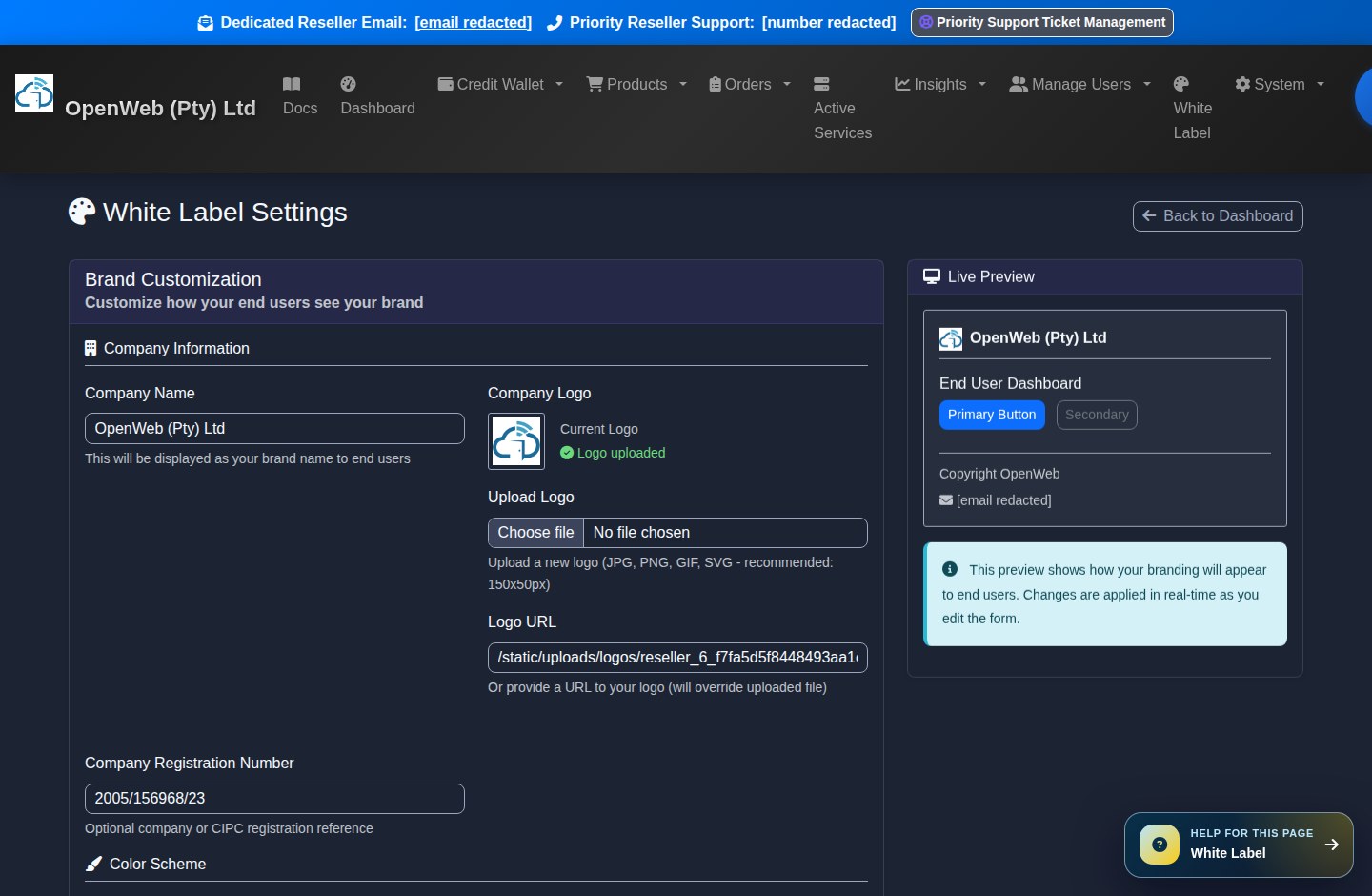
White-label tools let resellers present a branded customer experience while the OpenWeb reseller platform handles the operational workflow behind the scenes.
Whitelabel wizard
White Label Settings
Set company name, logo, colours, website, support email, support phone, and custom support URLs.
White LabelWhitelabel Wizard
First-login guided setup for company profile, branding, subdomain, and opening deposit.
WizardOpenWeb Accreditation
Approved resellers can access the accreditation page and use it to build trust with customers.
AccreditationSubdomains
White-label panels can use reseller subdomains under fastinternet.cc. Endusers log into the branded panel that matches the reseller context.
Enduser Control Panel
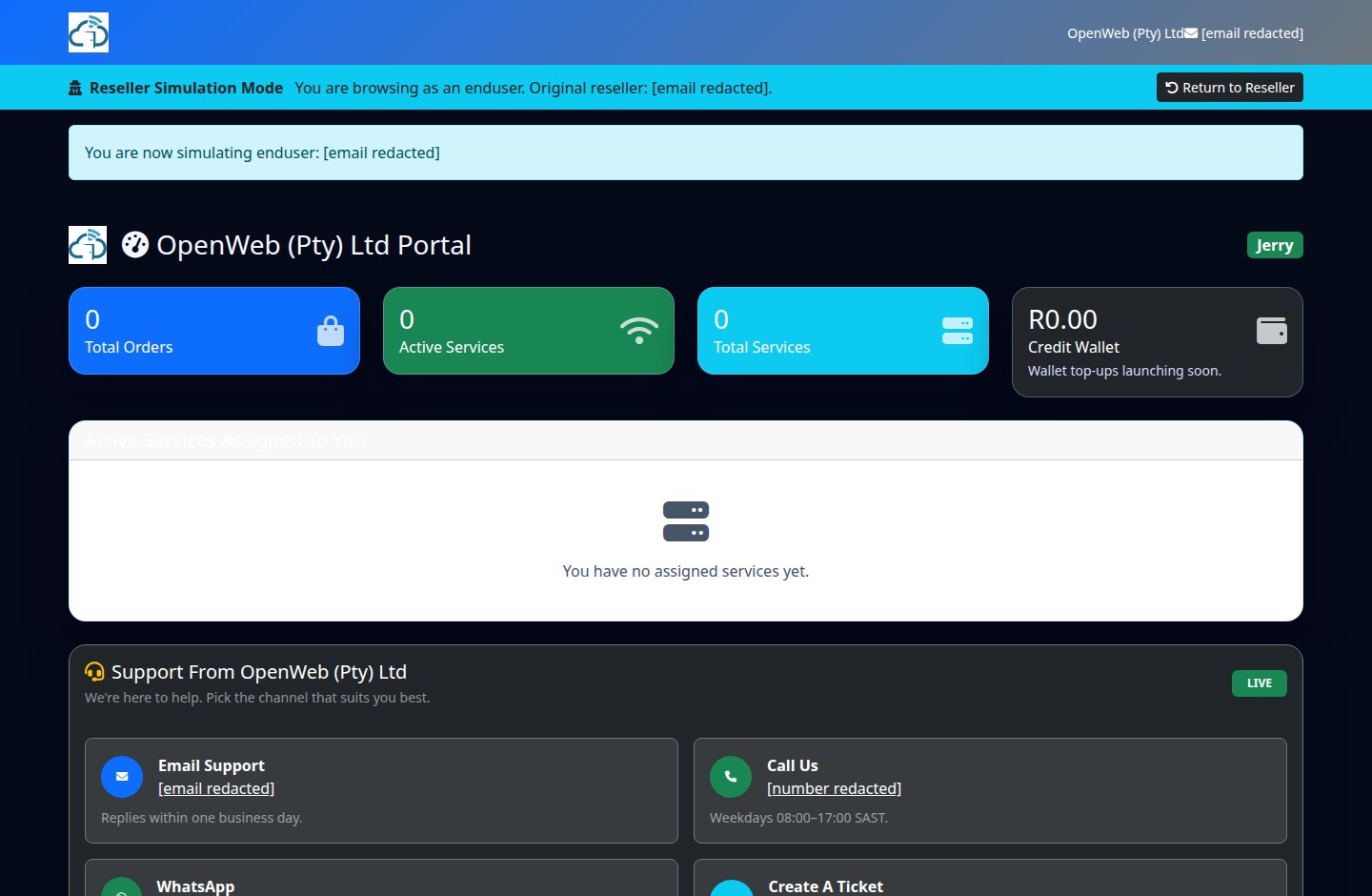
The enduser panel is what the reseller's clients see. The goal is simple: clients can log in, view services, inspect usage where available, and contact support through the reseller's white-label details.
Enduser dashboard
Enduser journey
- The reseller creates the enduser from the reseller panel.
- The enduser receives login details or a welcome notification depending on the service flow.
- The enduser logs into the branded panel, normally through the reseller's fastinternet.cc white-label host.
- The enduser can see active services, usage where supported, and support contact information configured by the reseller.
Rewards: OWP, Voyager, YouTube, Uber, and Spin the Wheel
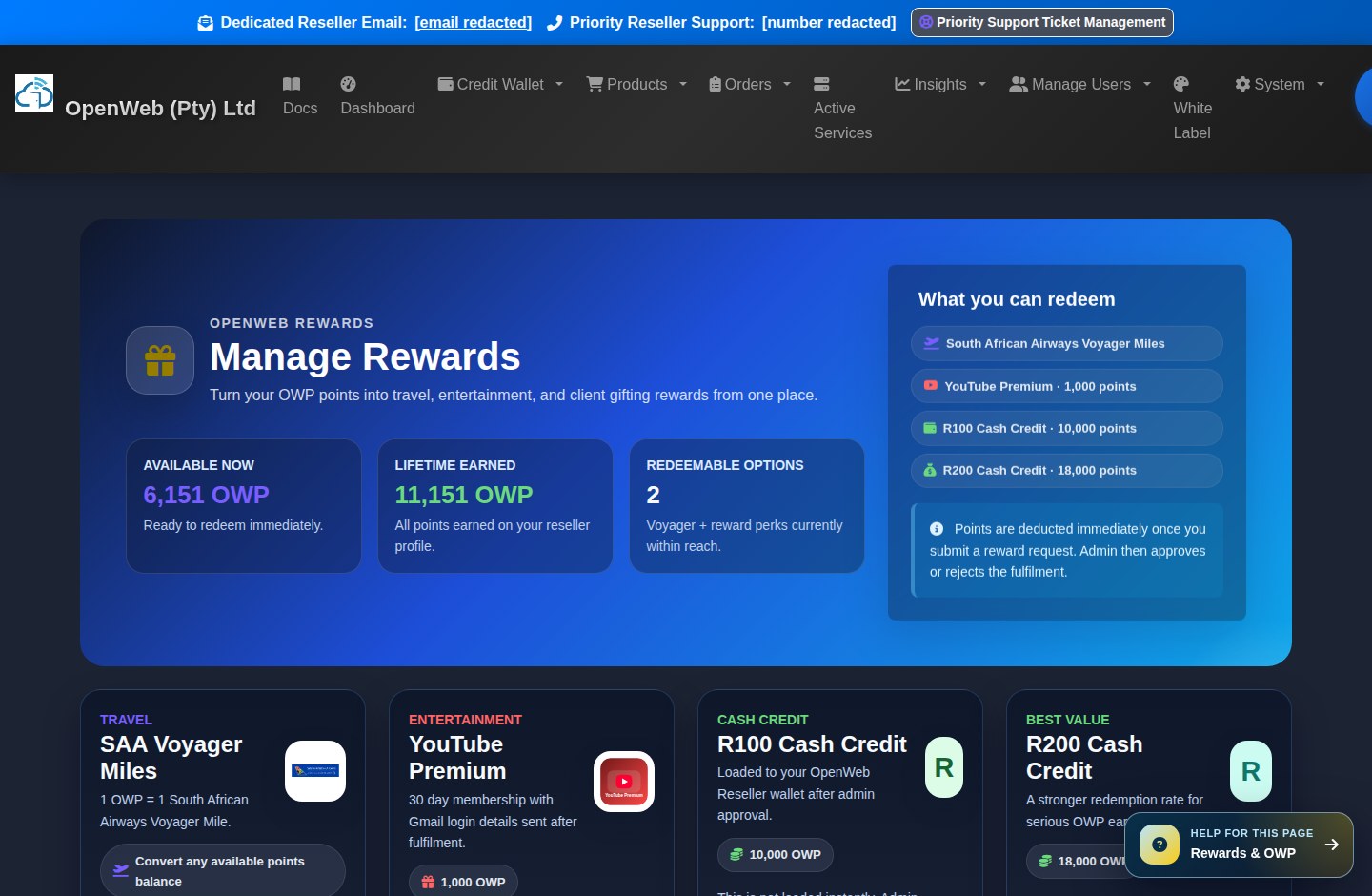
Rewards help resellers stay engaged and create client incentives. The rewards area includes OpenWeb Points, SAA Voyager miles, and reward redemptions.
Rewards and Voyager wallet
OpenWeb Points Wallet
Tracks points earned from qualifying activity. Points can be used for supported rewards and eligible waiver flows.
OWP WalletManage Rewards
Redeem rewards such as YouTube Premium and Uber vouchers. Some rewards require admin fulfilment details before reseller notification.
RewardsSAA Voyager Miles
Convert or purchase Voyager miles as once-off or monthly services. Monthly Voyager services count toward recurring renewals.
VoyagerSpin the Wheel
Promotional spin campaigns can award points and display campaign messaging when active.
Insights, Reporting, and Growth Tools
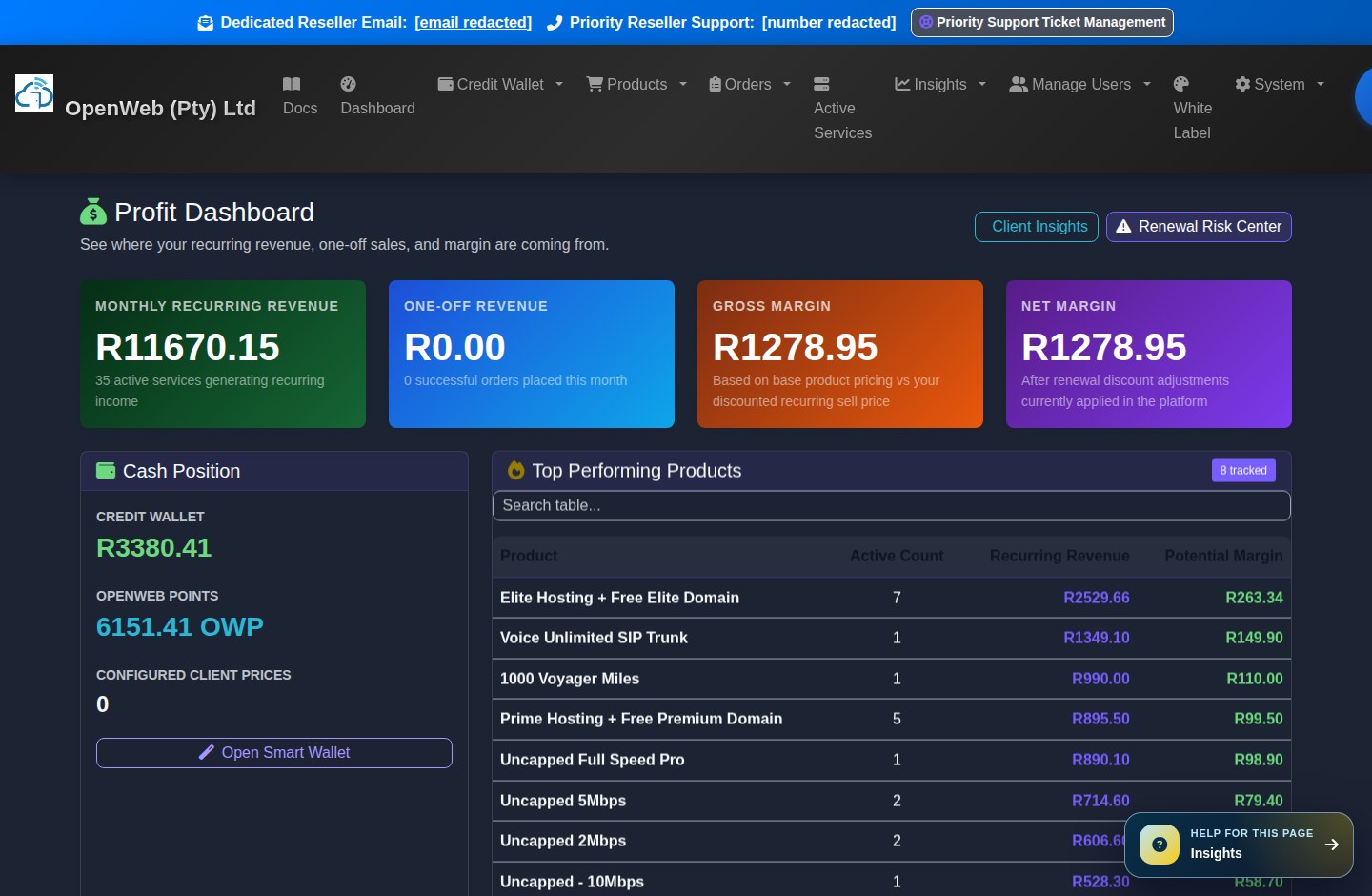
The Insights menu helps resellers understand profit, renewal risk, client behaviour, communication history, service health, and advertising conversion quality.
Insights suite
| Insight tool | Purpose | When to use it |
|---|---|---|
| Profit Dashboard | Shows revenue and margin context. | Use it to understand which customers and services are most valuable. |
| Renewal Risk Center | Highlights customers and balances that could create renewal problems. | Use before billing deadlines. |
| Client Insights | Summarises customer behaviour and account details. | Use for retention and upsell planning. |
| Service Health | Shows operational service status and health signals. | Use when investigating service performance. |
| Communications Hub | Central communication view for reseller/customer messages. | Use when following up with clients or checking notices. |
| Onboarding Packs | Provides customer onboarding material and setup guidance. | Use after provisioning a new client. |
| Conversion Audit | Reviews reseller conversion tracking events. | Use when checking Meta/Google tracking quality. |
Reseller API and Integrations
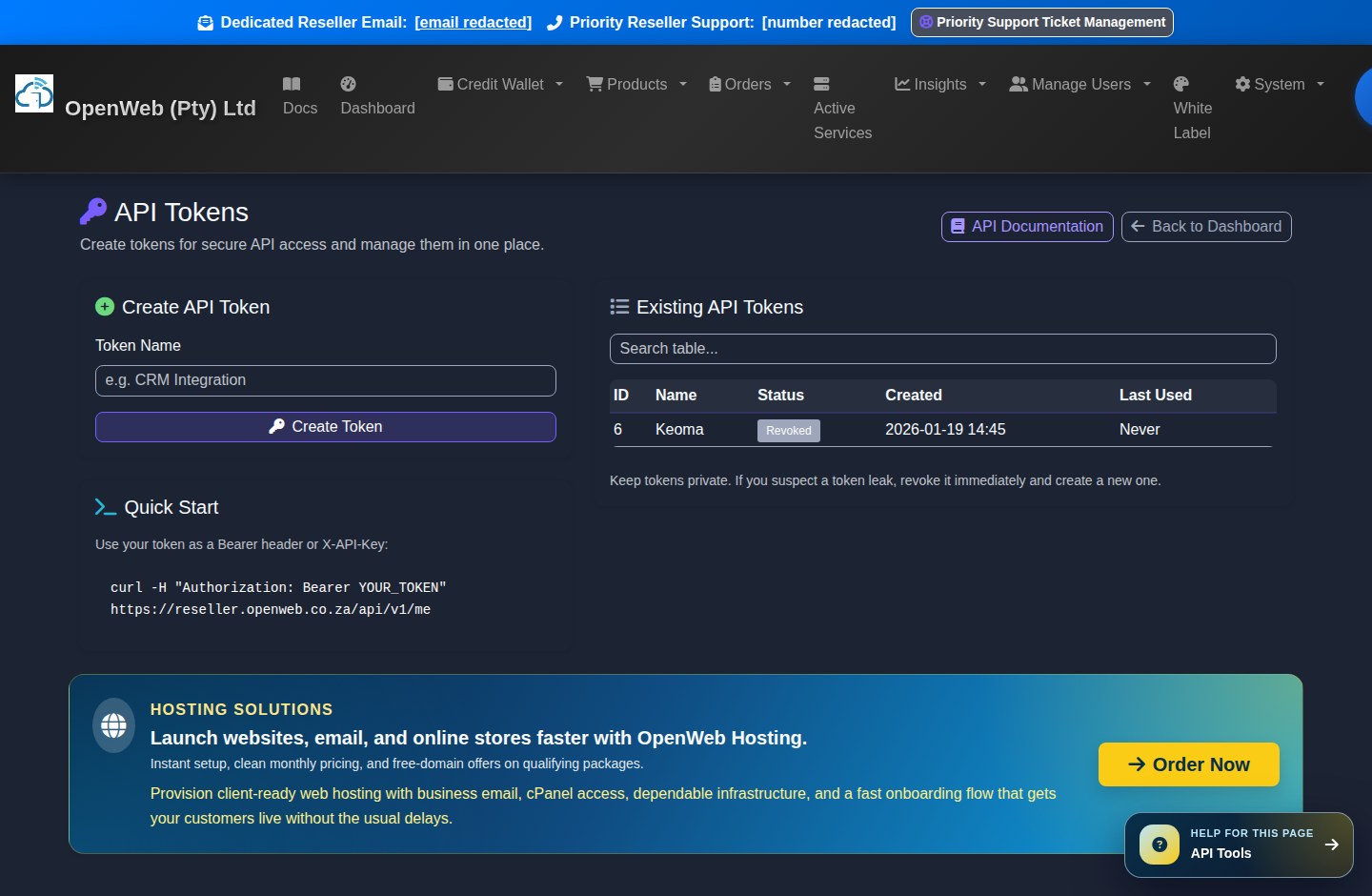
Reseller API tools allow resellers to integrate their own systems with the reseller platform. This is reseller API documentation only, not Admin API documentation.
API tokens and API docs
- Create reseller API tokens from the API Tokens page.
- Use the API documentation page for endpoint details and OpenAPI reference.
- Store tokens securely. If a token is exposed, revoke it and create a new one.
- API access is intended for reseller workflows such as customer and service integration, not admin operations.
Support, Legal Documents, Training, and Troubleshooting
Resellers have support tools, legal records, video training, and communications guidance directly inside the platform.
Support and legal centre
Priority Support Ticket Management
Create and follow up on support tickets from the reseller panel. Include service IDs, order numbers, and screenshots when asking for help.
SupportVideo Training Guides
Watch reseller training content where available. New guides can be announced by email and WhatsApp.
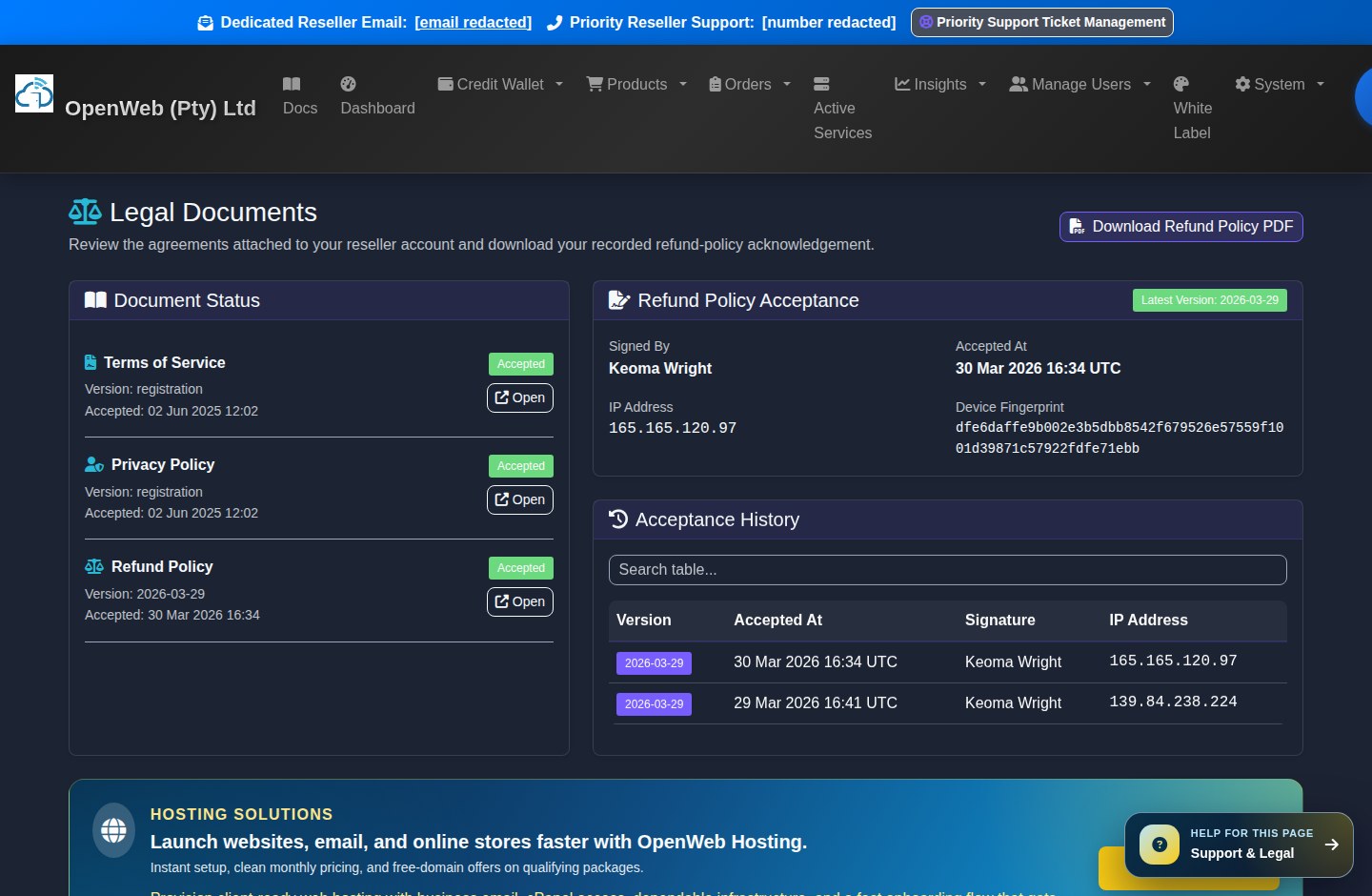
VideosLegal Documents
Review the Refund Policy and signed legal acknowledgements. The panel can require acceptance before access continues.
LegalLegacy manual download
The older spreadsheet manual remains available for signed-in resellers, but this `/docs` page is the primary knowledge base.
XLSX ManualCommon troubleshooting checks
- If an order cannot be placed, check wallet balance, blank SIM availability, customer selection, and required product fields.
- If usage does not show, confirm the product supports usage lookup and allow refresh time.
- If PayFast credit is missing, use Payment Trace before escalating.
- If a white-label login does not route correctly, confirm the subdomain setup and support details in White Label settings.
- If an enduser cannot log in, verify the enduser email/username, password status, and reseller ownership of the account.
Glossary and Operating Rules
These terms appear throughout the reseller panel and are useful when training staff.
| Term | Meaning | Operational rule |
|---|---|---|
| Reseller | The business account that sells OpenWeb services to endusers. | Must keep wallet funded and customer details accurate. |
| Enduser | The reseller's customer who receives the service. | Endusers use the branded panel and do not access reseller finance tools. |
| Wallet | The reseller credit balance used for orders and billing. | Top up before ordering and before monthly billing deadlines. |
| Pro-rata | The partial-month amount due today based on configured billing tiers. | Create-service screens show the exact charge before submission. |
| Blank SIM | SIM inventory not yet attached to a live service. | Blank SIM inventory carries no recurring cost. |
| Active Service | A provisioned service that may bill monthly. | Active recurring services make up renewal calculations. |
| Static IP | Dedicated IP add-on where available. | Static IP add-ons are currently not offered on the panel until stock is restored. |
| OWP | OpenWeb Points. | Used for eligible rewards and selected point-based benefits. |
| White Label | Reseller-branded customer-facing panel. | Keep logo, support email, phone, and portal settings current. |
| SIM Swap | Replacing the SIM attached to a service. | Current reseller fees: Telkom R129 and MTN R299. |